
Get started
Connect Instagram, LinkedIn and X
Haba posts only to accounts you connect, and only what you approve. Connect each account once.
1Open Integrations
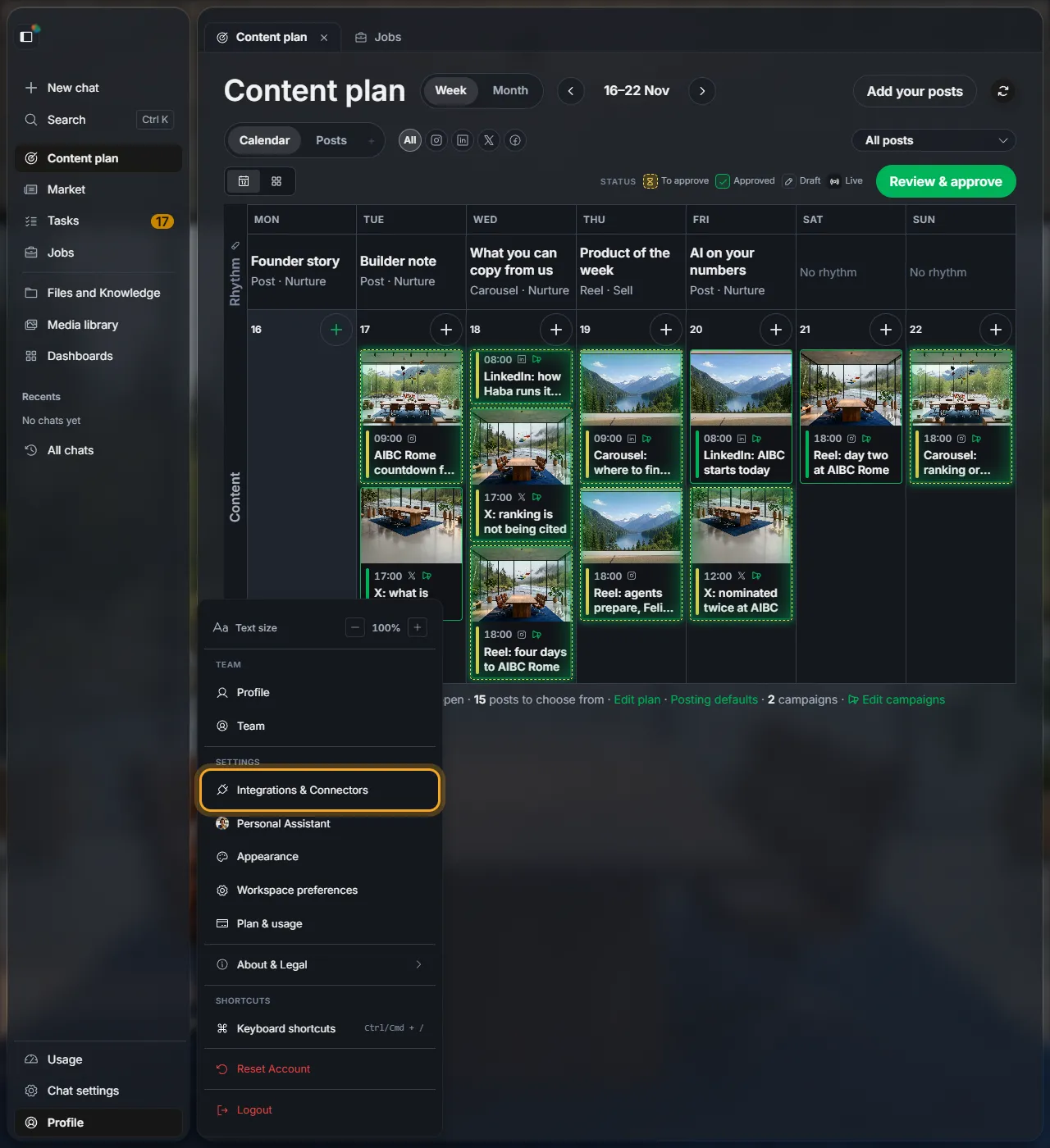
Open the menu on the left and click Profile at the bottom. Then click Integrations & Connectors.
2Connect an account
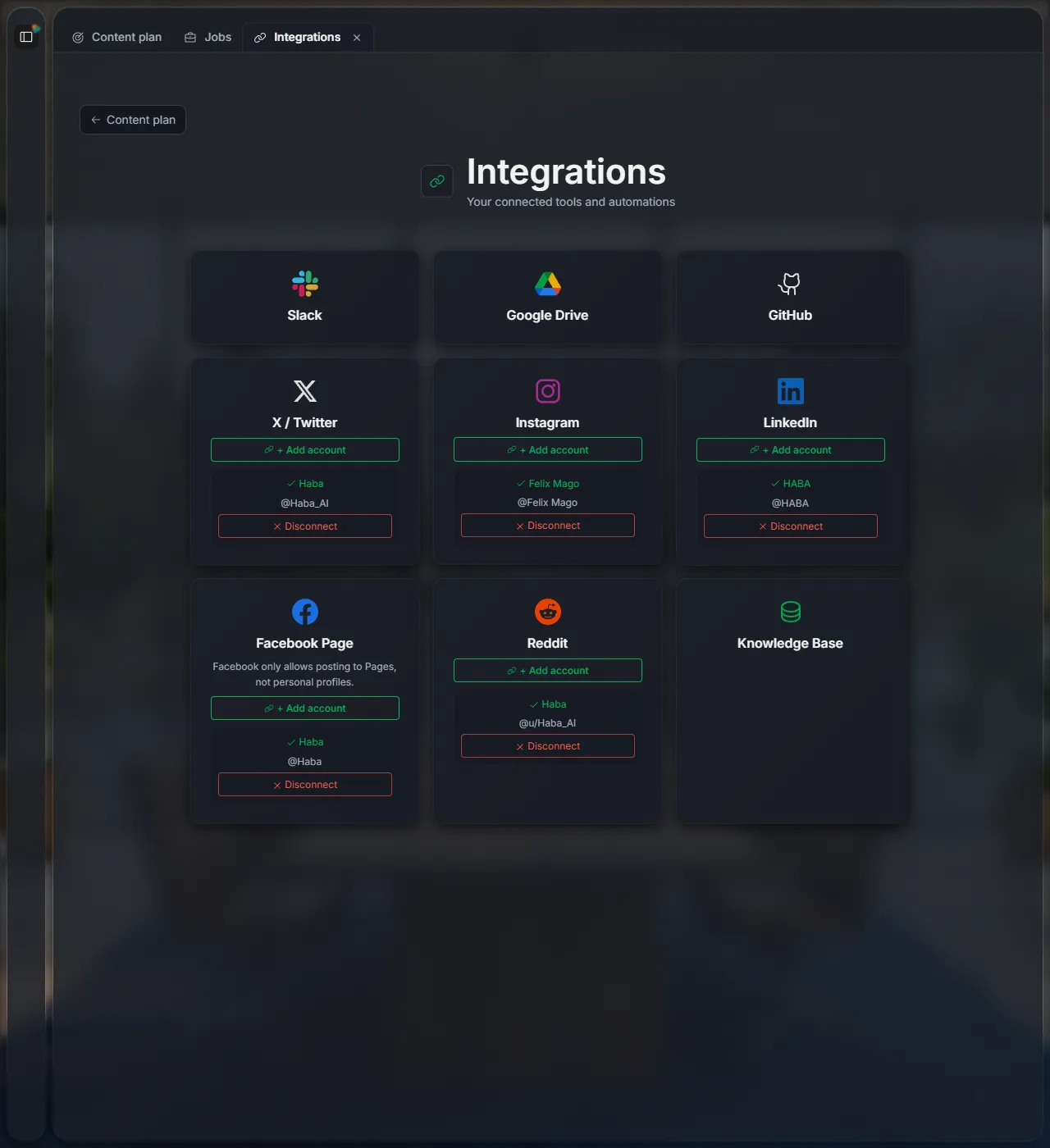
The Integrations page opens. Click Connect under the platform. A window from that platform opens: sign in there and allow Haba to post. When you come back, the account shows under the platform with a tick.
Once one account is connected, + Add account lets you add another on the same platform.
"Your browser blocked the connection window"
Allow pop-ups for workspace.haba.ai and click Connect again.
3Disconnect an account
Click Disconnect under the account. It disconnects at once, without asking first.
Next
Set your planStep 2: posts per week, days and times.
Review and approve a postStep 3: your weekly routine.
Did this page help?
Screens from 16 November 2026