
Create strategy
Ken writes a marketing strategy for the next weeks from what he already knows about your company. You pick the goal, check his answers to four questions, and get a strategy file to review.
1Pick a goal
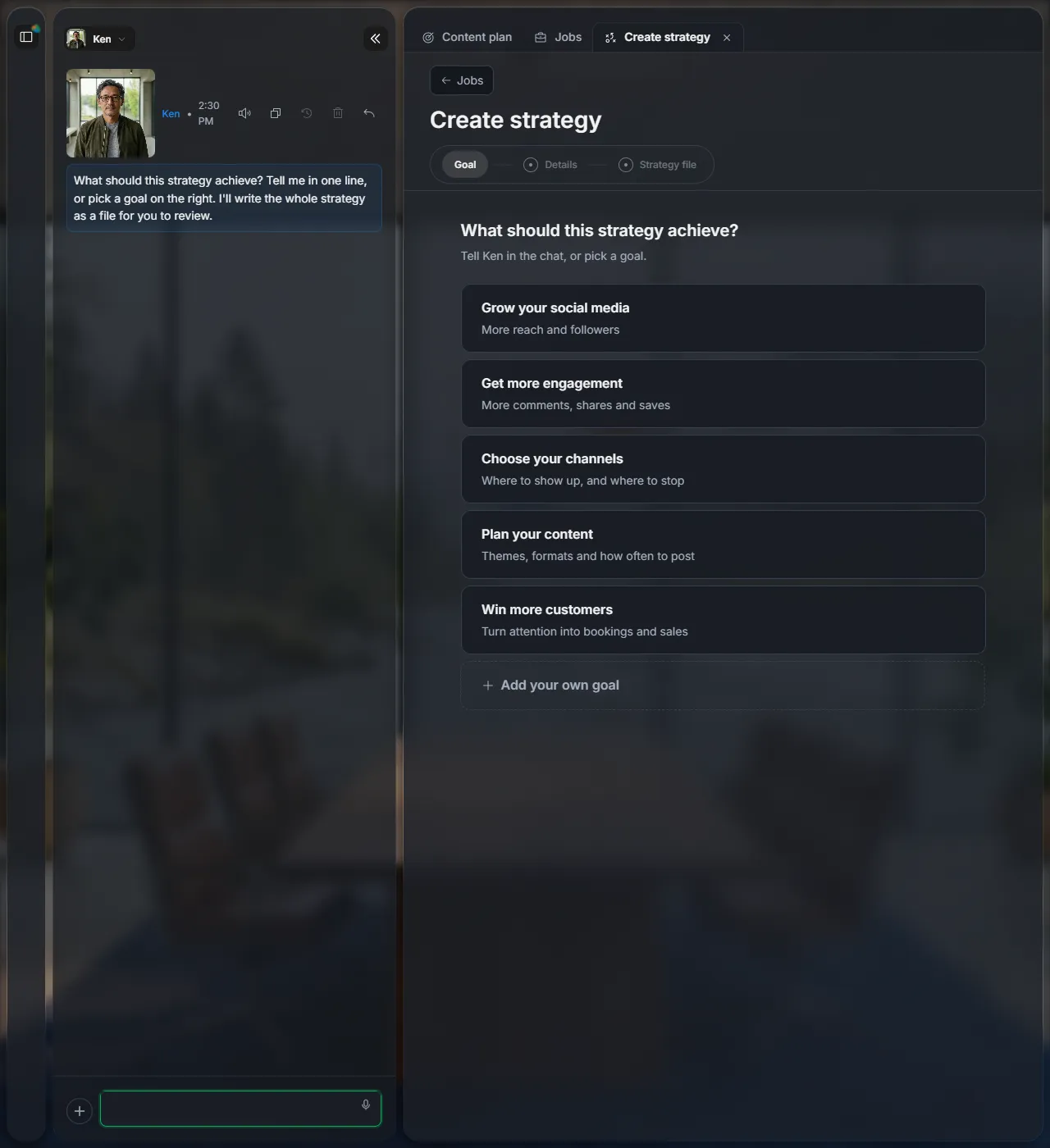
Open Jobs and click Create strategy. Pick one of the goals, add your own with Add your own goal, or tell Ken in the chat.
2Check Ken's answers
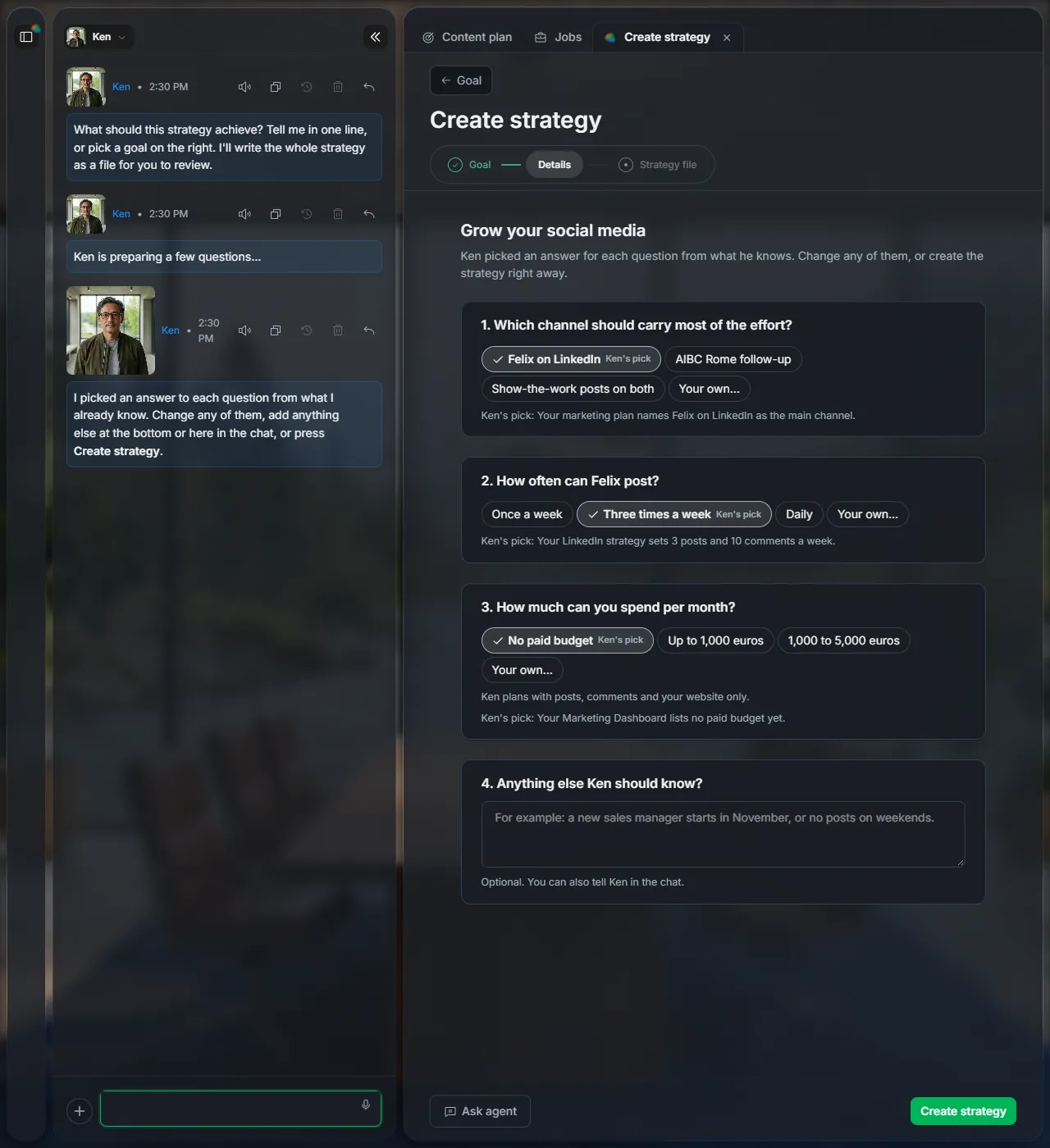
Ken answers four questions himself: which channel carries the effort, how often you can post, what you can spend, and anything else he should know. Each answer says where it comes from. Click another option, or type your own.
Then click Create strategy.
3Review the strategy
The strategy opens as a file: the starting point, the approach and why, what happens week by week, what to stop doing, and how success is measured.
It is saved as a draft in Files and Results, under Strategies. Change it with Edit, ask Ken in the chat, or click Get expert feedback to have other agents review it.
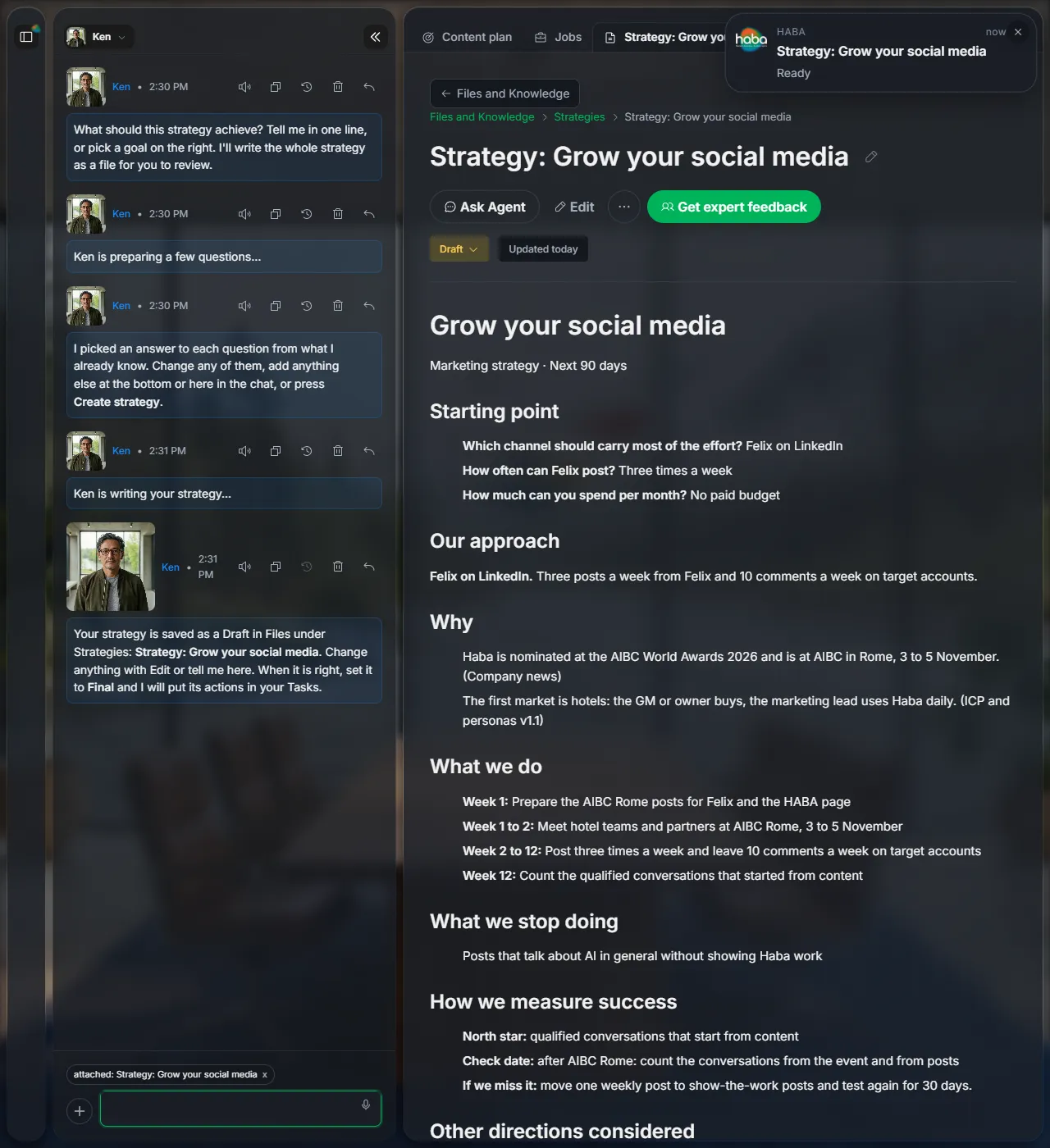
When it is right, set it from Draft to Final.
Next
Did this page help?
Screens from 16 November 2026