
Content plan
Edit a post
Change anything in a post before you approve it: the text, the picture, or where it goes.
1Change the text
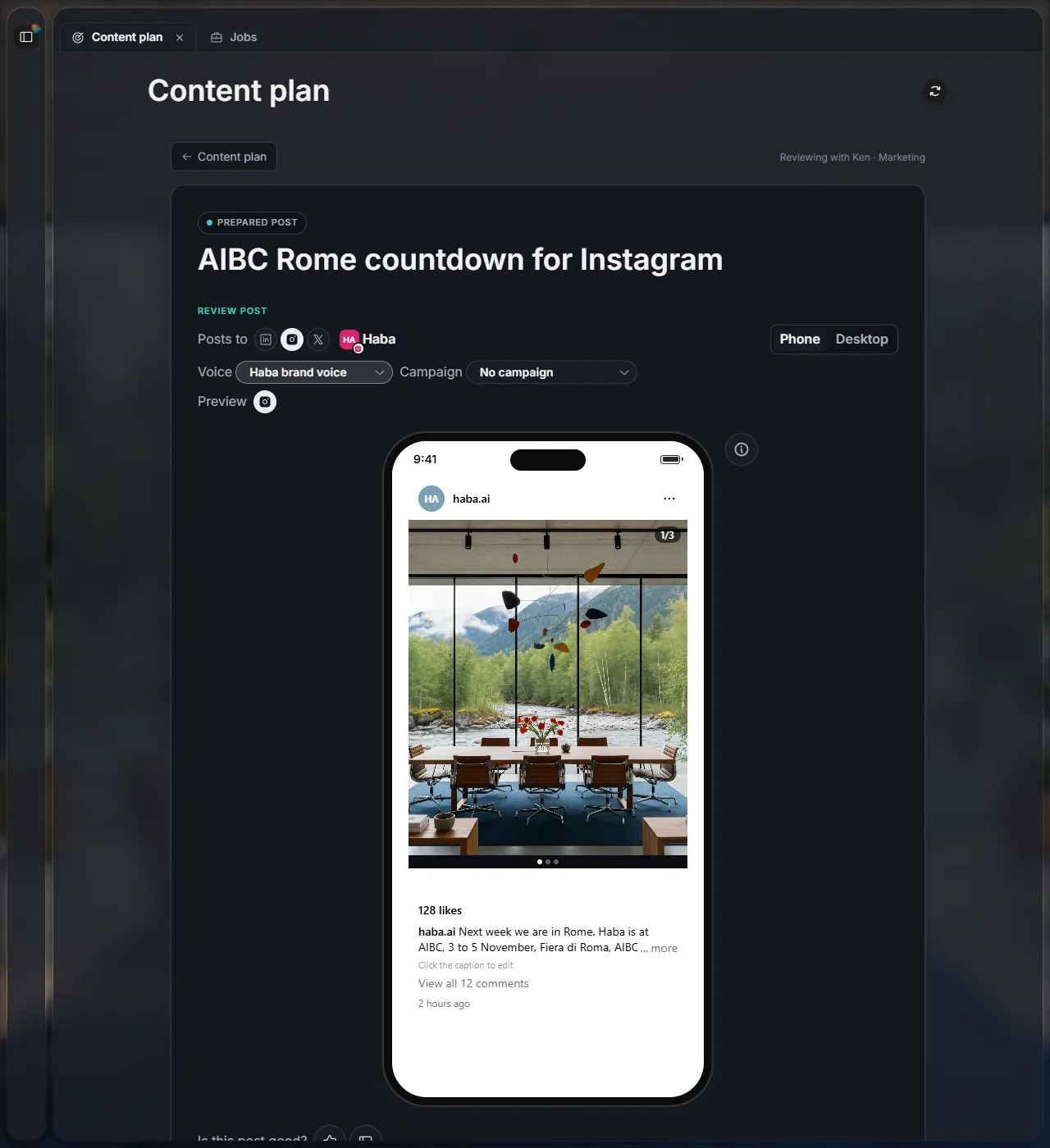
In Content plan, open the post with Review & approve. Click the caption under the picture and type.
2Change the picture
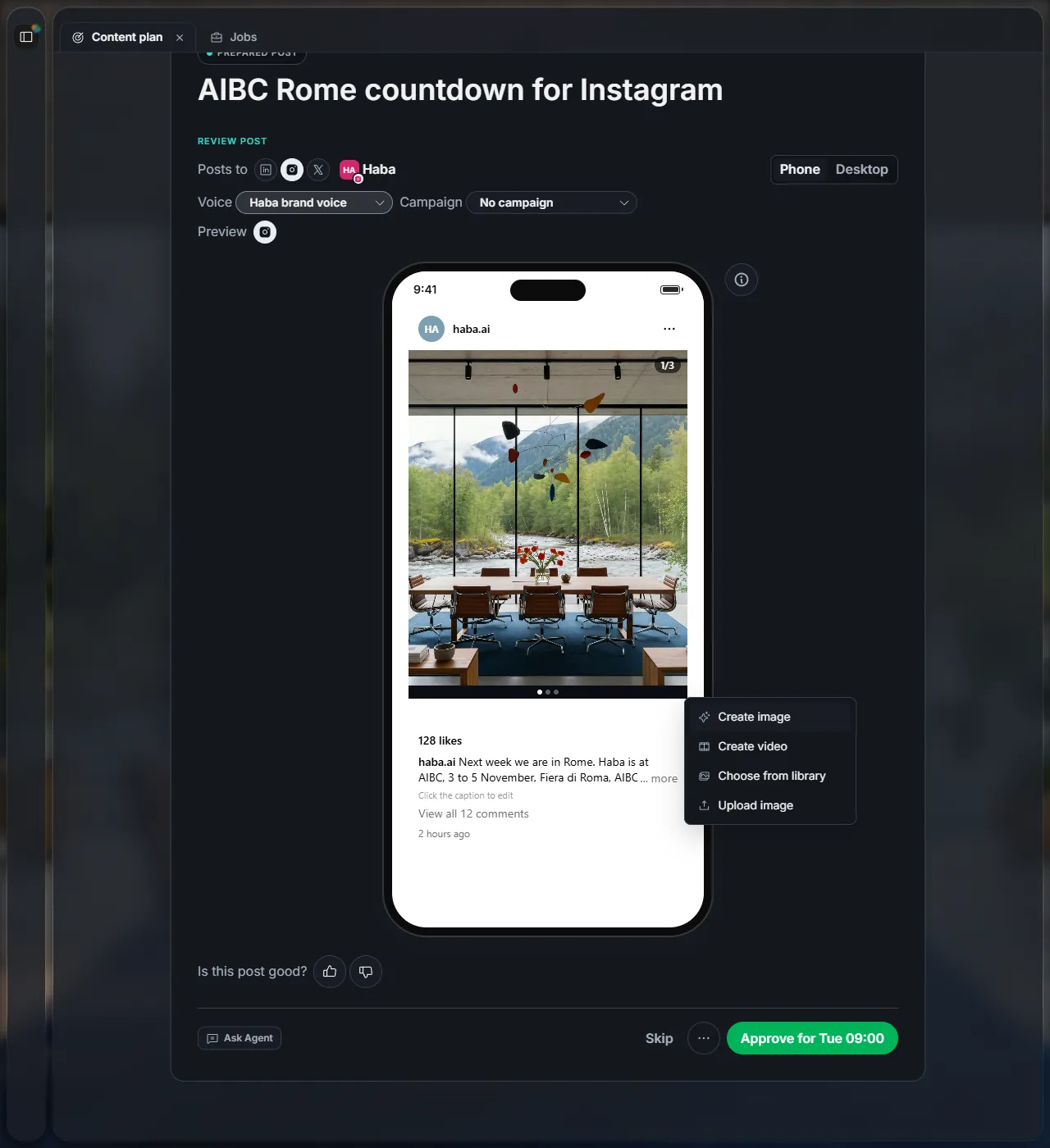
Click the pencil on the picture. You can:
| Create image | Haba makes a new picture for this post. |
| Create video | Make a short video instead of a picture. |
| Choose from library | Use a picture you or Haba made before. |
| Upload image | Use a picture from your computer. |
3Post it on more platforms
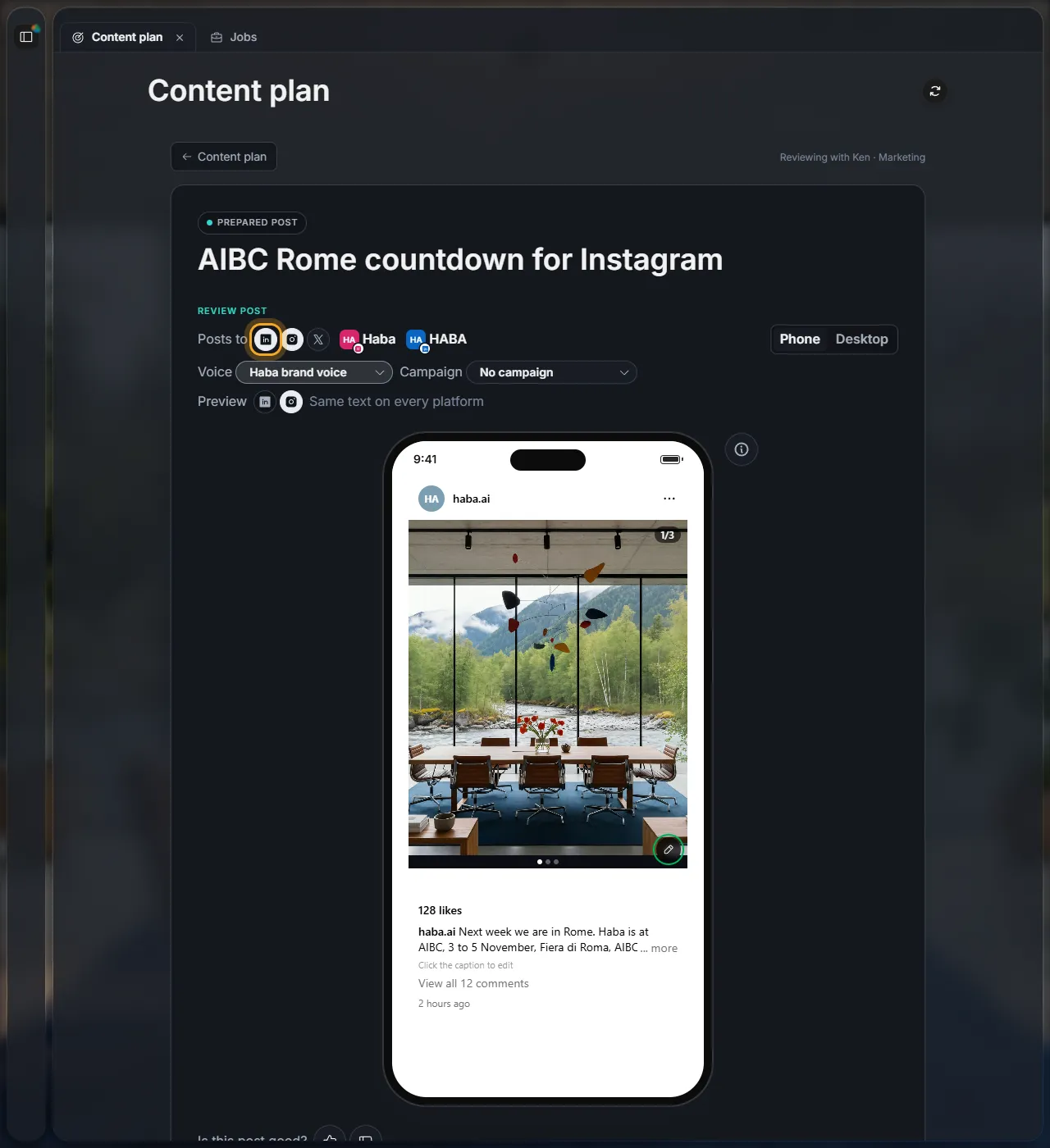
Under the title, Posts to shows all your platforms; the ones this post goes to are lit. Click another icon to post there too, or a lit one to take it off. A post needs at least one platform.
4Start again
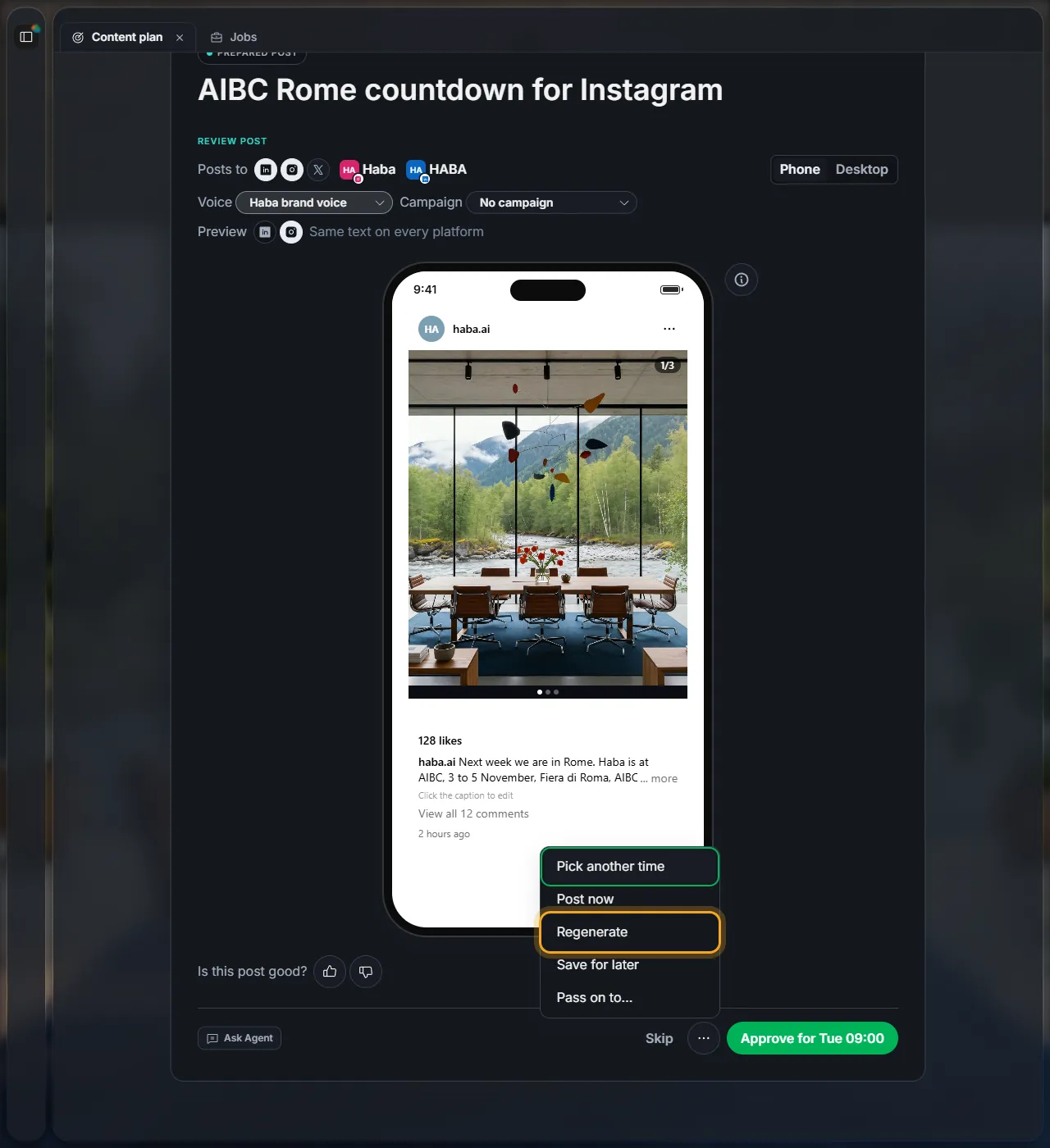
Not happy with it at all? Click ··· and then Regenerate. Haba writes a new version. To tell it what to change, use Ask Agent instead.
Next
Did this page help?
Screens from 16 November 2026