
Create reel
Ben makes short videos for Reels, TikTok, Shorts or LinkedIn. You approve the plan scene by scene before any video is made, so nothing is wasted.
1Write the brief
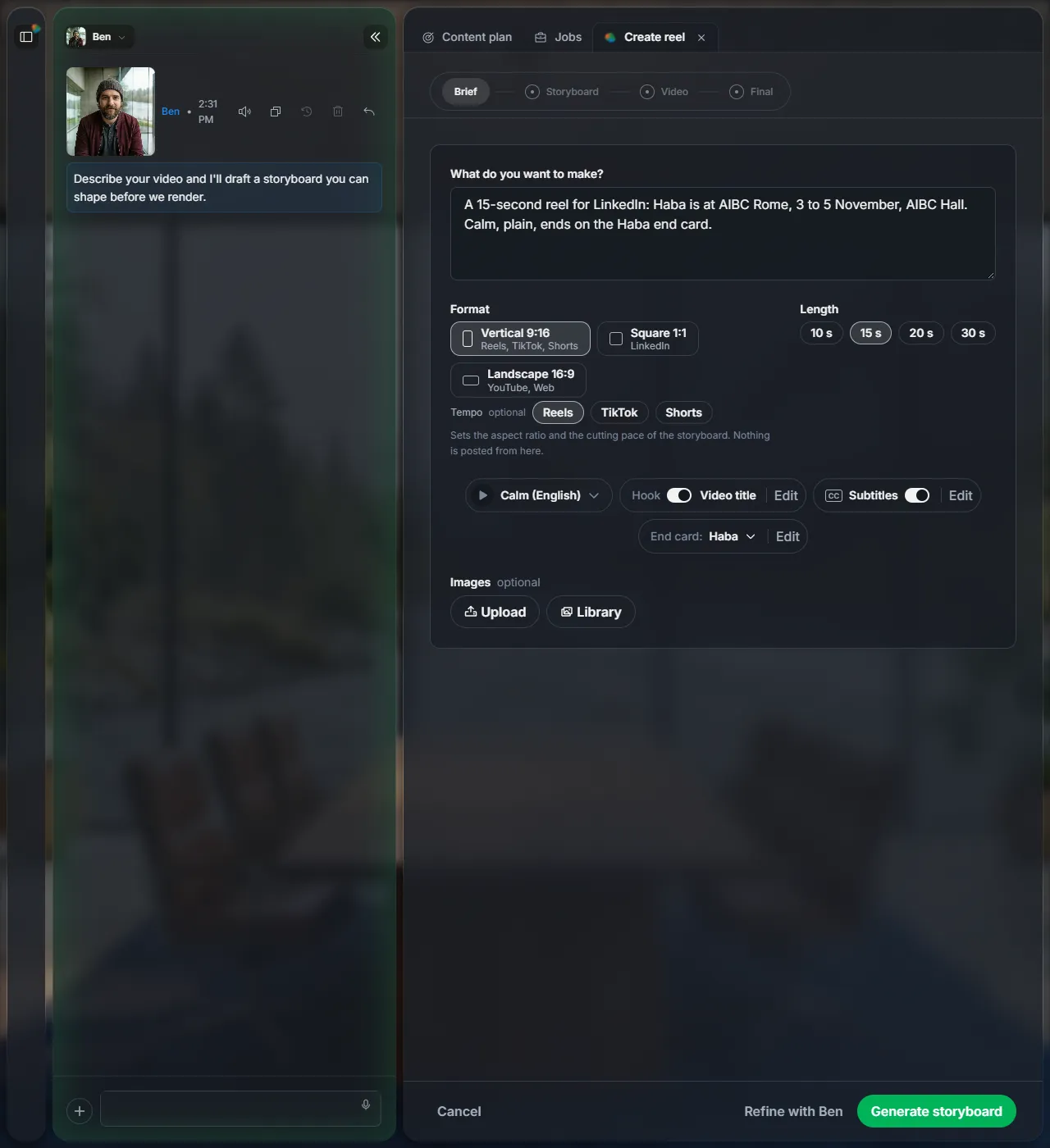
Open Jobs and click Create reel. Say what you want to make, then pick:
| Format | Vertical 9:16, Square 1:1 or Landscape 16:9. |
| Length | 10, 15, 20 or 30 seconds. |
| Voice, hook, subtitles, end card | How it sounds and how it starts and ends. |
| Images | Optional: upload your own or take them from your library. |
Click Generate storyboard.
2Check the storyboard
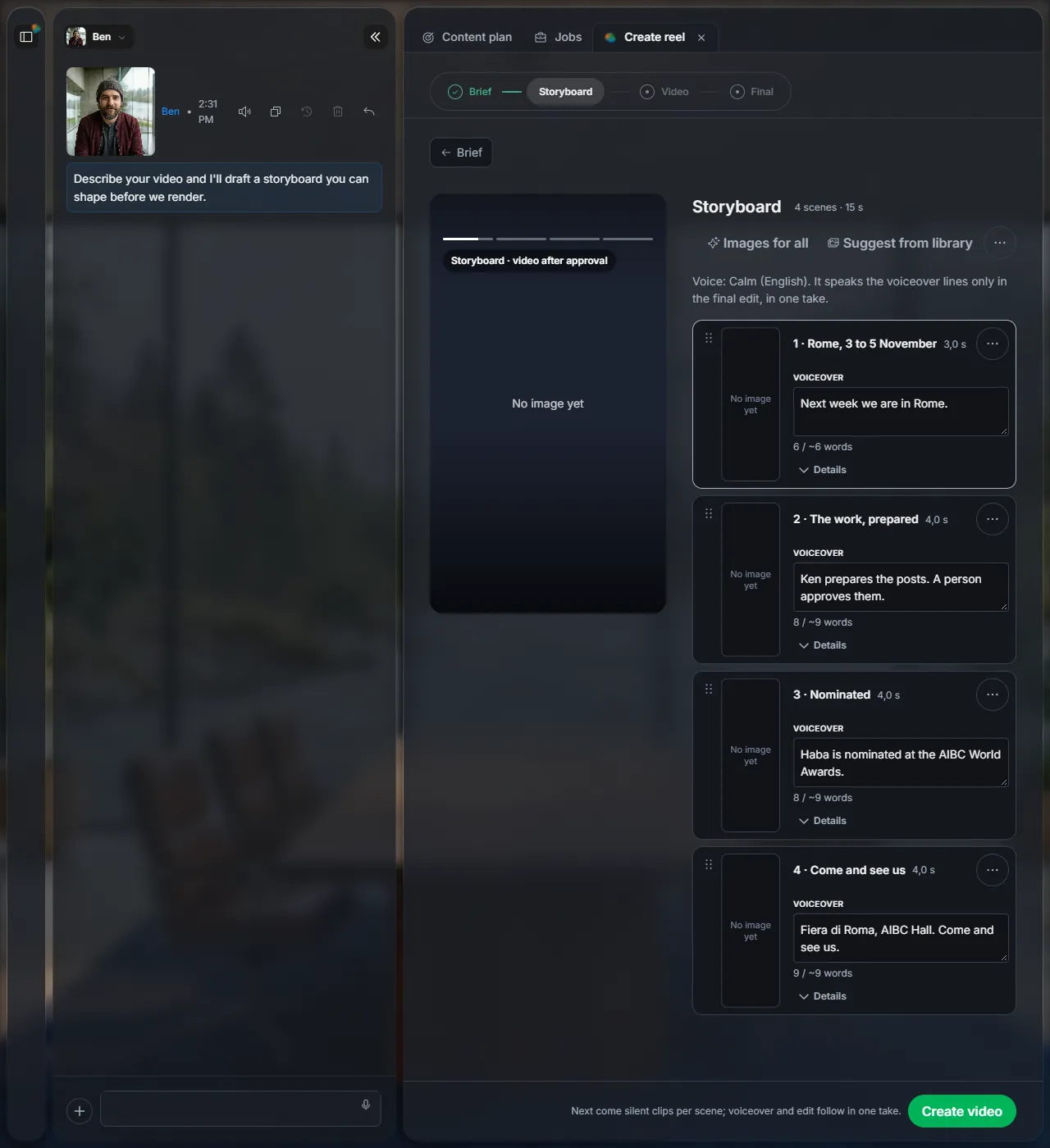
Ben splits the video into scenes, each with its length and the line the voice will say. Change any line. Images for all makes a picture for each scene. Then click Create video.
3Check the video clips
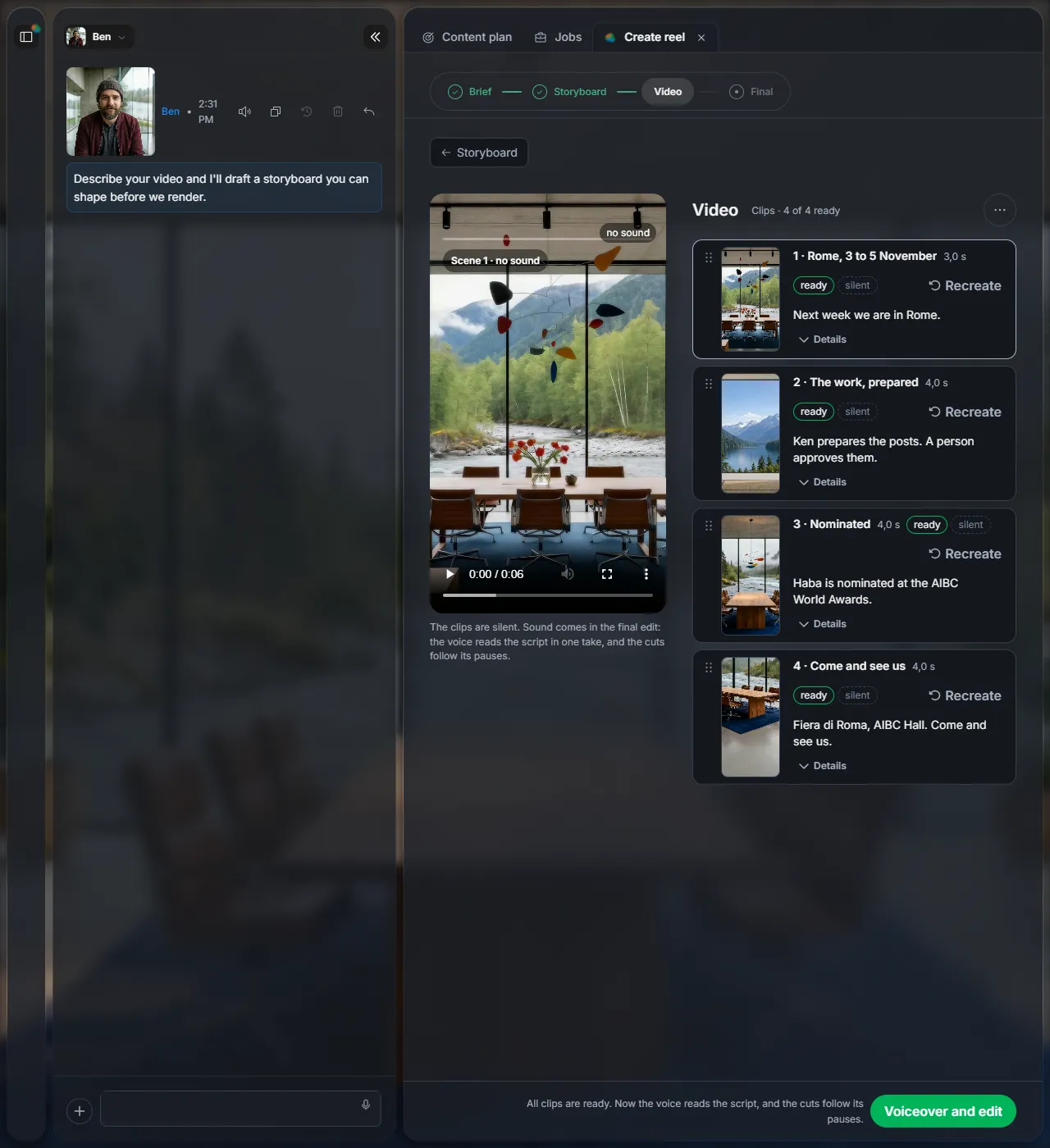
Ben makes one silent clip per scene. Play each one; Recreate makes a scene again. When all clips are ready, click Voiceover and edit.
4Get your video
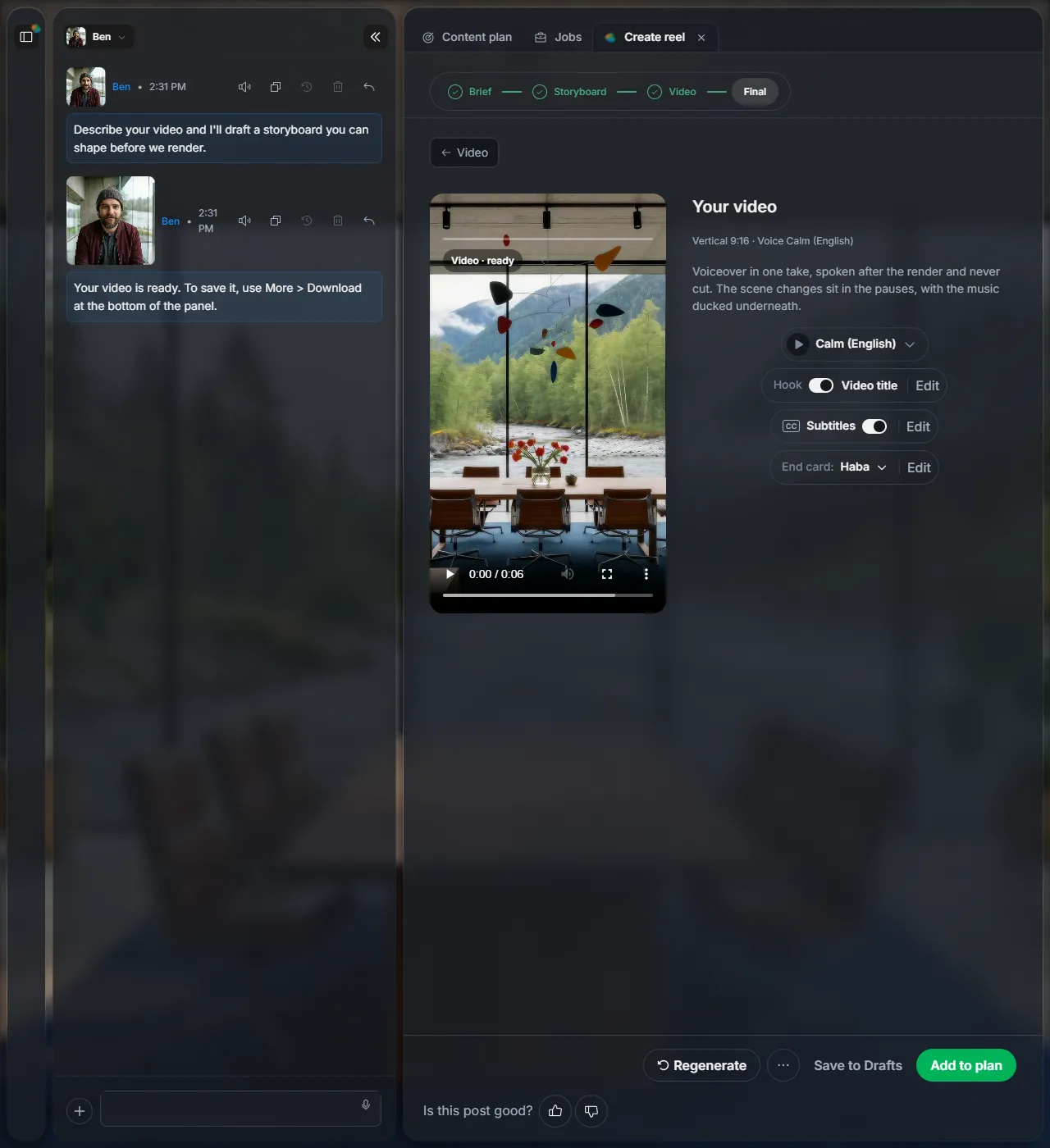
The voice reads the script in one take and the cuts follow its pauses. Click Download to save the video, or View in Files to find it later. Schedule opens a post with the video attached, ready to write and schedule like any new post.
Next
Did this page help?
Screens from 16 November 2026